Choosing between MS Project vs Primavera is a major decision for civil engineers, planners and construction project managers. Both tools are powerful scheduling software widely used in the construction industry for planning, resource allocation, tracking progress and managing large-scale projects. MS Project is known for its simplicity and accessibility, while Primavera P6 is built for complex infrastructure, industrial projects and multi-contractor environments. This guide compares both tools in detail so civil engineers can decide which software suits their project requirements.
1. Overview of MS Project & Primavera
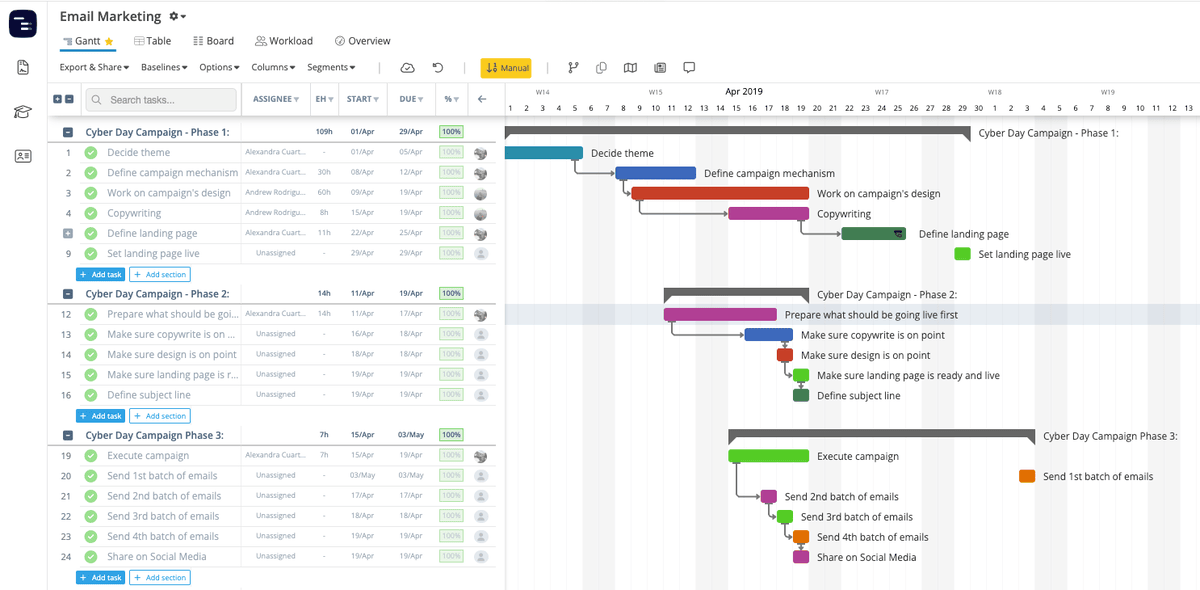
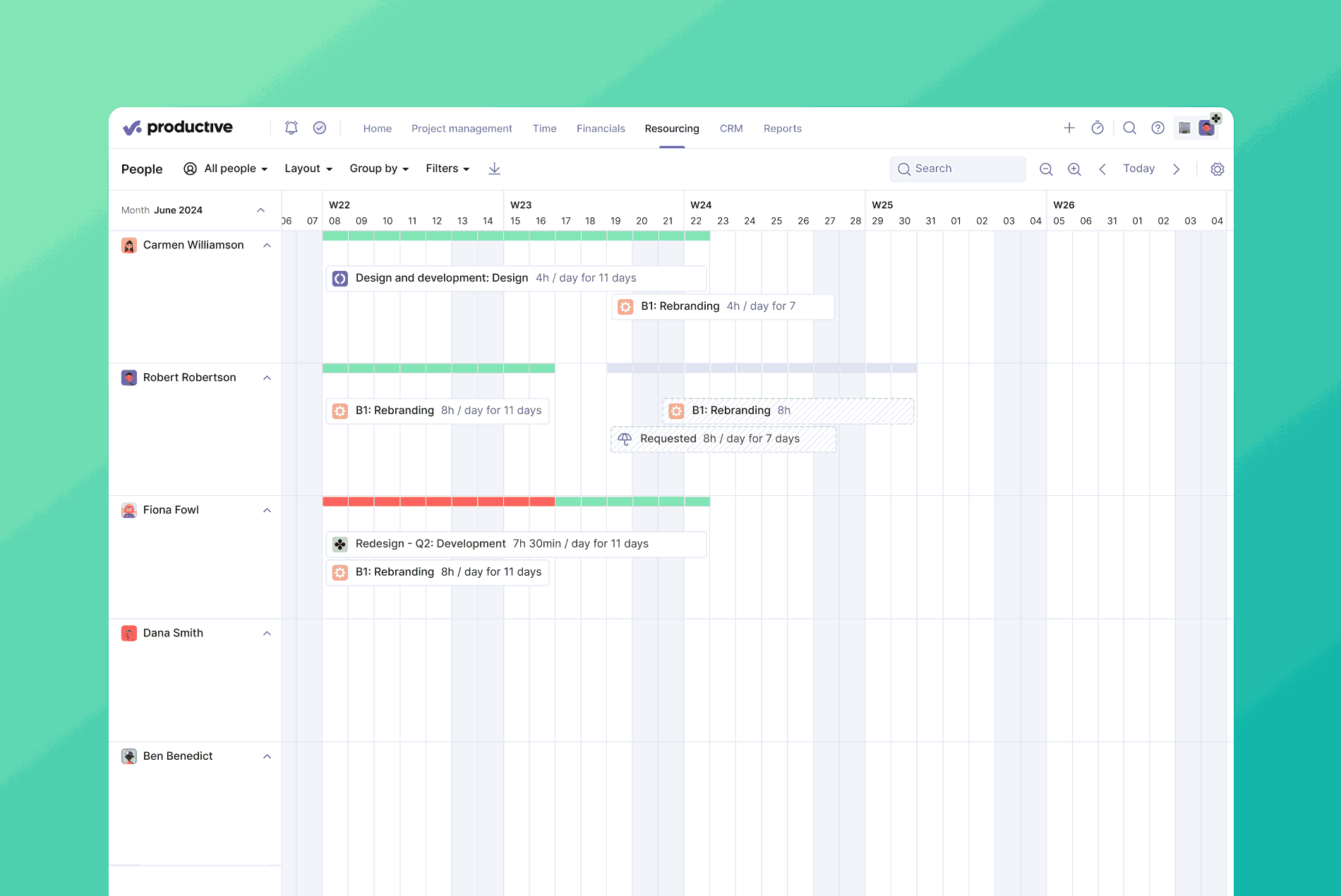
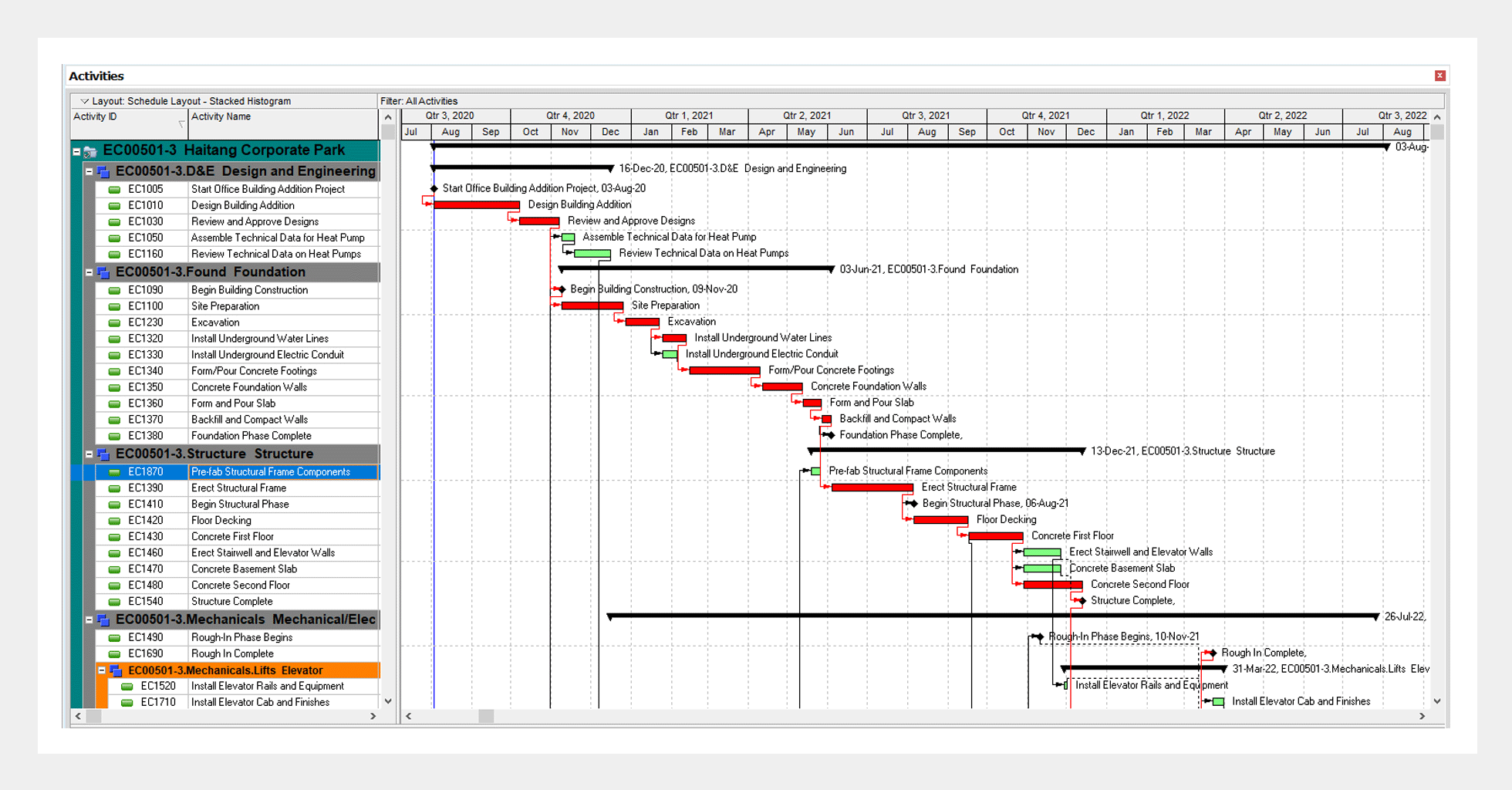
These images show generic scheduling dashboards and Gantt-style interfaces similar to what planners use in both tools:

6
1.1 Microsoft Project (MS Project)
Developed by Microsoft, MS Project is a user-friendly scheduling tool suitable for:
- Small to medium construction projects
- Residential or commercial building works
- Contractors, freelancers, site engineers
- Quick project planning and tracking
It integrates well with Excel, Teams, Power BI and SharePoint.
1.2 Primavera P6
Developed by Oracle, Primavera P6 is a high-end project management tool used for:
- Large, complex, multi-year construction projects
- Infrastructure (roads, bridges, metro, airports)
- EPC projects
- Industrial plants (oil & gas, power plants)
It allows multi-user access, enterprise-level planning and detailed progress reporting.
2. Interface & Usability Comparison

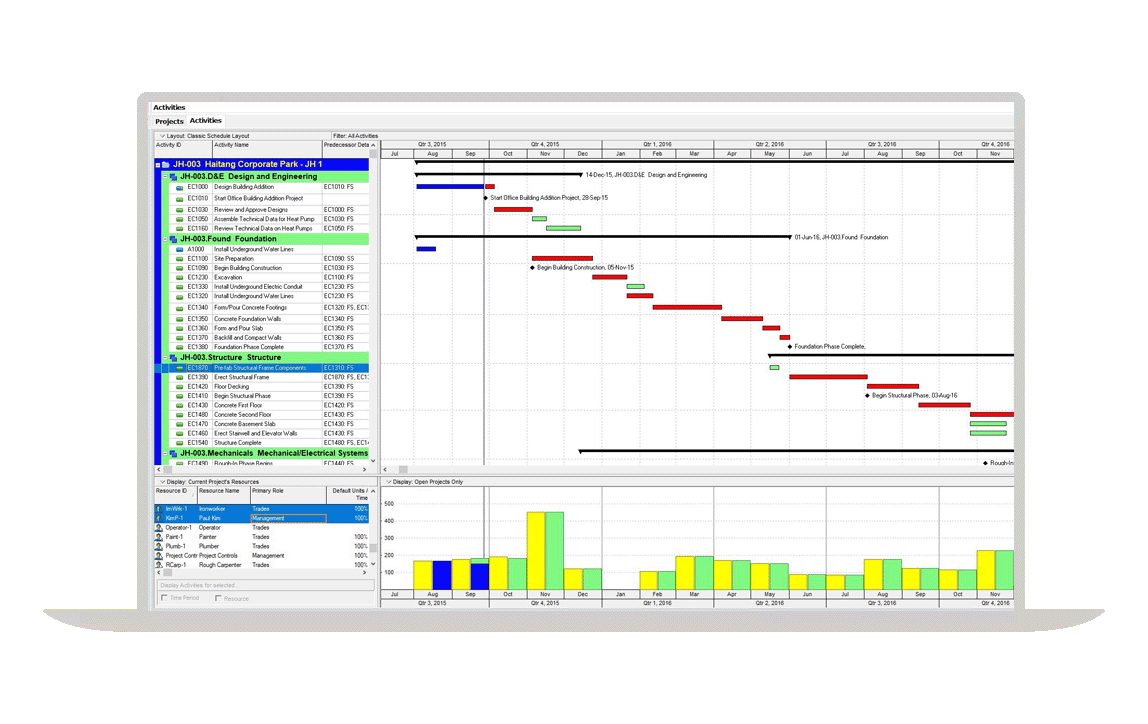
6
| Feature | MS Project | Primavera P6 |
|---|---|---|
| Ease of Use | Very beginner-friendly | Steeper learning curve |
| Setup Time | Quick | Requires configuration |
| Navigation | Ribbon-based, intuitive | Multi-pane, more advanced |
| Best For | Engineers without planning specialization | Professional planners, PMOs, EPC contractors |
| Training Required | Low | Moderate–High |
Verdict:
MS Project is simpler; Primavera is more powerful.
3. Work Breakdown Structure (WBS)
WBS is the backbone of project scheduling.
3.1 WBS in MS Project
- Created using indent/outdent
- Works well for basic to moderate complexity
- Easy to visualise in outline view
3.2 WBS in Primavera P6
- Dedicated WBS hierarchy
- Supports multiple projects
- Allows coding, grouping, cost allocation
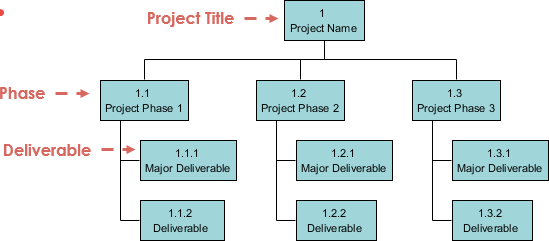
Below are generic images showing WBS-like hierarchical structures:


6
Verdict:
Primavera P6 is the industry standard for WBS in large projects.
4. Scheduling & Critical Path Method (CPM)
4.1 MS Project CPM Capabilities
- Automatically calculates critical path
- Highlights critical tasks in red
- Best for small–medium projects
4.2 Primavera P6 CPM Capabilities
- Multiple critical paths
- Complex relationships (SS, FF, SF, FS with lag/lead)
- Industry-leading CPM engine
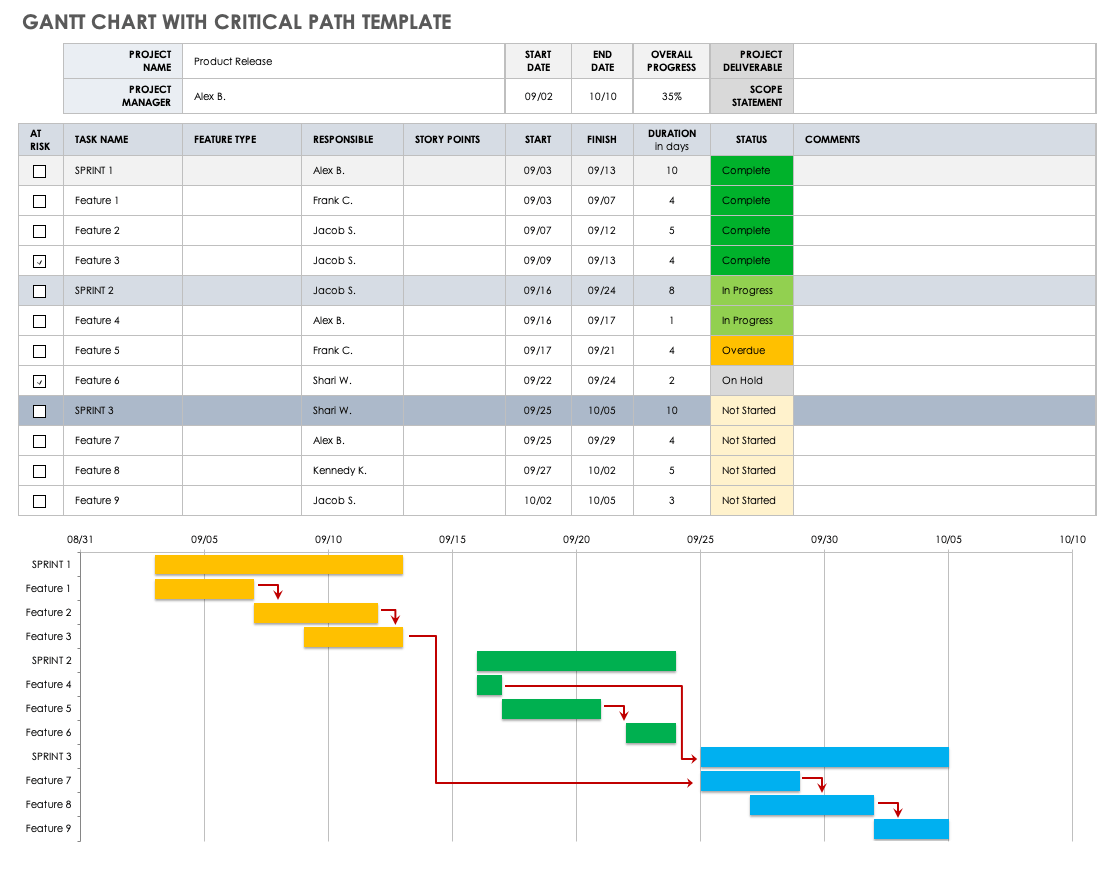
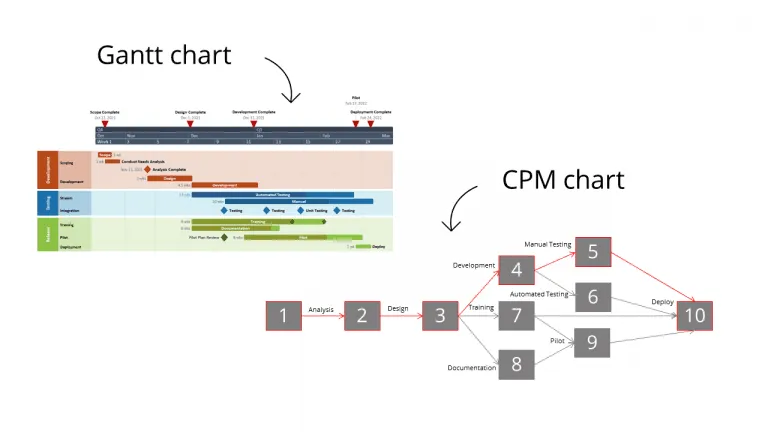
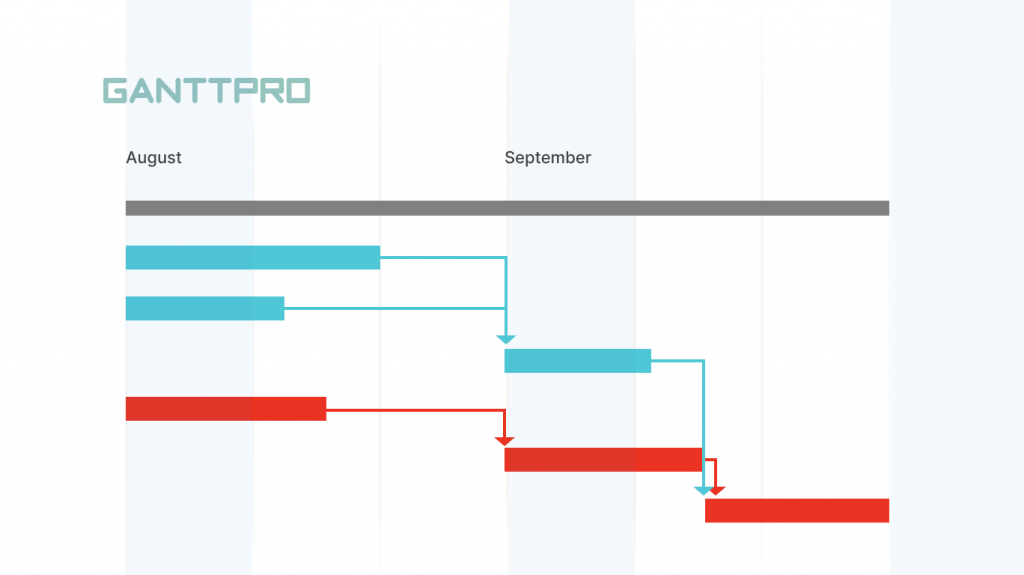
Here is a generic CPM/Gantt-style example:
6
Verdict:
Primavera P6 dominates in CPM for complex construction.
5. Resource Management
MS Project
- Resource pooling
- Simple allocation
- Basic cost and productivity tracking
- Easy for small teams
Primavera P6
- Resource leveling
- Advanced resource curves
- Multi-project resource control
- Detailed productivity monitoring
Verdict:
Primavera is better for engineering, manpower, machinery and cost-heavy projects.
6. Cost Control & Budgeting
MS Project
- Basic cost fields
- Works with Excel for detailed budgeting
- Good for small contractors
Primavera P6
- Full cost loading
- Earned Value Management (EVM)
- Productivity vs planned value comparison
- Enterprise cost dictionaries
Verdict:
Primavera P6 is superior for commercial and EPC budgeting.
7. Reporting & Dashboards
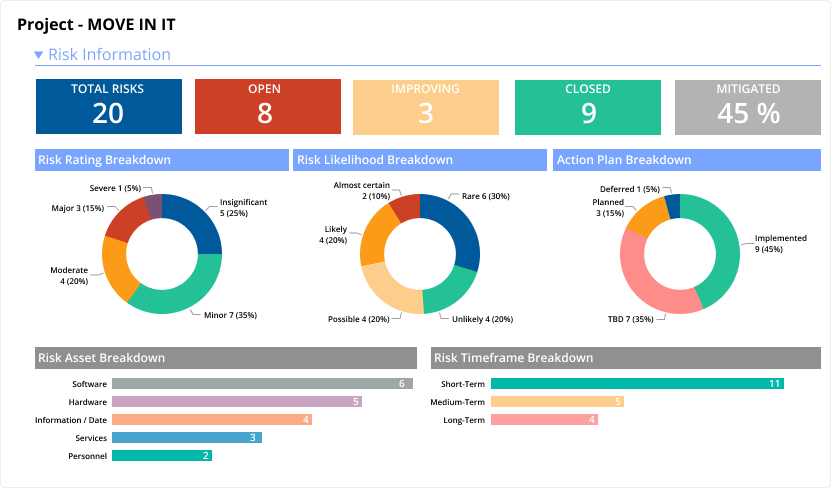
Generic project reporting visuals below:


6
MS Project
- Pre-built reports
- Easy PDF exports
- Simple graphical dashboards
Primavera P6
- Enterprise reporting
- Customizable layouts
- Multi-project analysis
- Integration with BI tools
8. Collaboration & Multi-User Capability
MS Project
- Mostly used by single user
- Cloud version allows collaboration
- Limited multi-role segregation
Primavera P6
- Multi-user by design
- User access control (Engineer, Planner, Contractor, Client)
- Enterprise-level permission system
Verdict:
Primavera wins for complex organizational workflows.
9. File Formats & Compatibility
| Feature | MS Project | Primavera P6 |
|---|---|---|
| Native Format | .mpp | .xer, .xml |
| Import/Export | Excellent with Excel | Excellent with enterprise tools |
| Compatibility | Widespread | Industry-specific |
10. Typical Use Cases in Civil Engineering
MS Project is ideal for:
- Residential building projects
- Small commercial buildings
- Renovation works
- Site engineers planning weekly schedules
- Contractors managing activity lists
Primavera P6 is ideal for:
- Metro/railway projects
- Road & bridge construction
- Industrial plants
- Government megaprojects
- High-rise buildings
- EPC contracts
11. Pricing Comparison
| Software | Approx. Cost | Notes |
|---|---|---|
| MS Project | Moderate | One-time or subscription |
| Primavera P6 | Expensive | Enterprise-level license |
12. Summary Table: MS Project vs Primavera
| Feature | MS Project | Primavera P6 |
|---|---|---|
| Ease of Use | ★★★★★ | ★★★☆☆ |
| Project Size | Small–Medium | Medium–Mega |
| Resource Management | Basic | Advanced |
| Cost Control | Basic | Professional |
| CPM Analysis | Good | Excellent |
| Reporting | Good | Advanced |
| Collaboration | Limited | Enterprise |
| Best For | Contractors, small firms | EPC, infrastructure, megaprojects |
Conclusion
MS Project and Primavera P6 are both excellent scheduling tools, but they serve different purposes.
Civil engineers should select the software based on project scale, organizational complexity, reporting needs and team collaboration requirements.
- Choose MS Project if you need simplicity, speed and easy learning.
- Choose Primavera P6 if you work on large-scale, multi-phase construction projects requiring advanced planning and resource management.
Both tools significantly improve project efficiency and deliver accurate schedules that support successful construction management.
Recommended Resources
Autodesk Construction Cloud (General Project Planning)
https://construction.autodesk.com
Oracle Primavera P6 Official Page
https://www.oracle.com/primavera
Microsoft Project Official Guide
https://www.microsoft.com/microsoftproject
NPTEL Project Management Course
https://nptel.ac.in